
Quick summary (TL;DR): the ACS (Anti-Collision System) module turns your Landroid into a smarter robot. Using ultrasound, it avoids obstacles (furniture, trees, toys) without any bumps. It installs in about 5 minutes and is highly effective on objects taller than 20 cm. It’s the must-have option to protect both your robot and your garden furniture!
As you may know, I recently bought the Worx Landroid L1000 WR147E.1 robotic lawnmower (I suggest you read my article on the installation of the Worx robotic lawnmower).
After fitting it with toothed wheels for better off-road traction, I decided this time to invest in the ACS (Anti-Collision System). The idea? To literally give my robot “eyes” so that it stops playing bumper cars with my garden furniture.
In this article, I take you through the installation of the WA0860, the results of my tests and my final verdict as a bit of a gardening geek.
Ultrasonic anti-collision system for the Worx Landroid WA0860: what is it?
The ACS option is a compact piece of technology that lets the Landroid detect obstacles (trees, furniture, barbecue) from a distance and recalculate its path to steer smoothly around them.
The ACS system for the Worx Landroid robotic lawnmower uses ultrasonic sensors. It’s the same technology as the parking sensors on our cars: the robot sends out a signal that “bounces” off the obstacle to work out the exact distance.
Thanks to this system, your Landroid will no longer bump into obstacles such as garden furniture, an inflatable pool, the kids’ football goals or even your dog having a nap (if it’s big enough!). You finally give your robot a 180° field of vision.
One important point: installing the ACS does not replace the perimeter wire. The robot still needs its boundary wire to know where the edges of the lawn are, but the ACS handles everything inside that perimeter.
Unlike conventional models, which detect obstacles by “impact” (the robot bumps into them, stops and reverses), the Worx with ACS anticipates them. This keeps the body free of scratches and spares the mechanical collision sensors.
Technical specifications:
- Technology: high-precision ultrasound
- Installation: ultra-quick plug and play
- Avoidance: intelligent contact-free navigation
- Weight: ultra-light, does not change the centre of gravity
The pack contains:
- The Worx ACS anti-collision module
- Stainless steel fixing screws
- An Allen key
- The user manual
Worx Landroid WA0860 ACS system: unboxing
Let’s get unboxing. As is often the case with Worx, the packaging is neat and everything is well wedged in place.
 The ACS module box: compact and sturdy
When you open the box, you find the ACS anti-collision module extremely well protected in its foam packing:
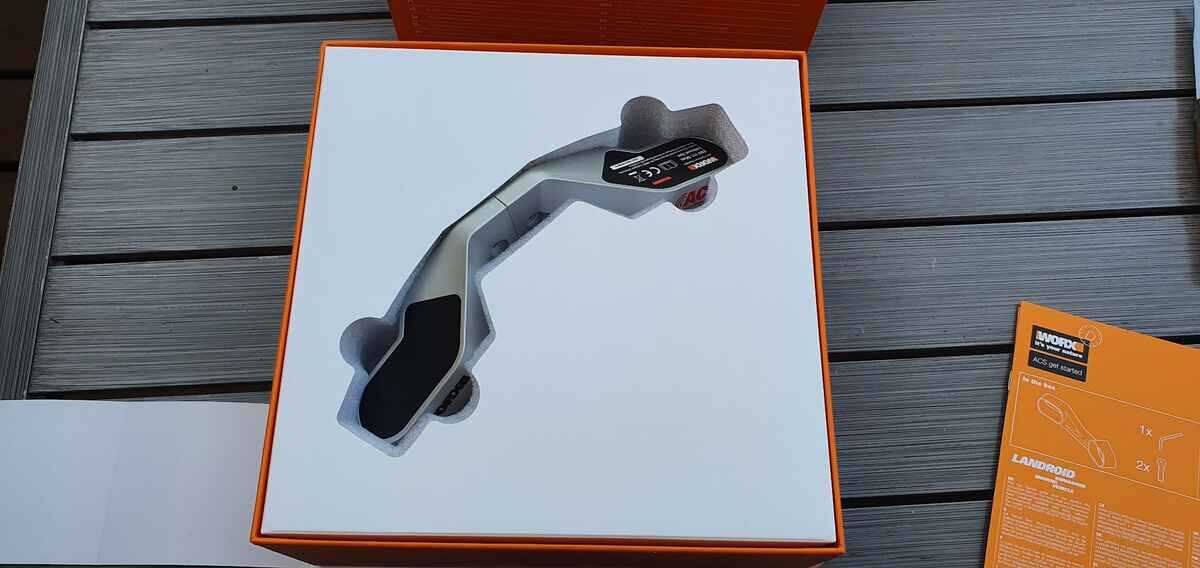 The ACS module: you can clearly see the ultrasonic “eyes”
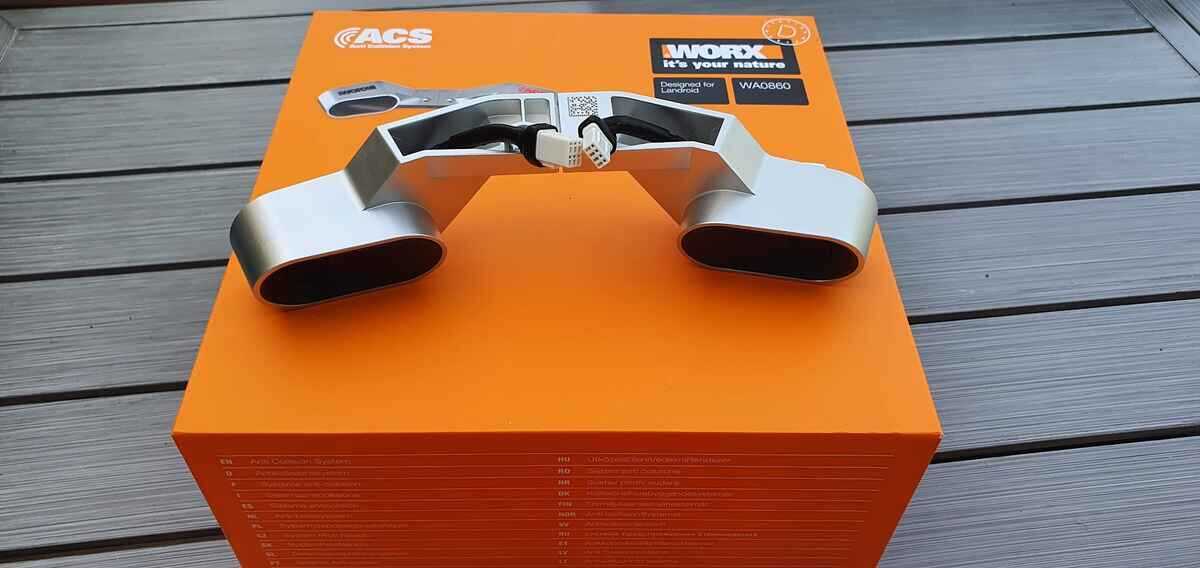 The whole kit, ready for fitting
Installing the anti-collision system (WA0860) on the Worx Landroid
You won’t need the full toolbox: installation is wonderfully simple. It’s pure plug and play.
Step 1: Free up the slot
First, remove the protective cover on the top of your robot. A simple flat-head screwdriver is enough.
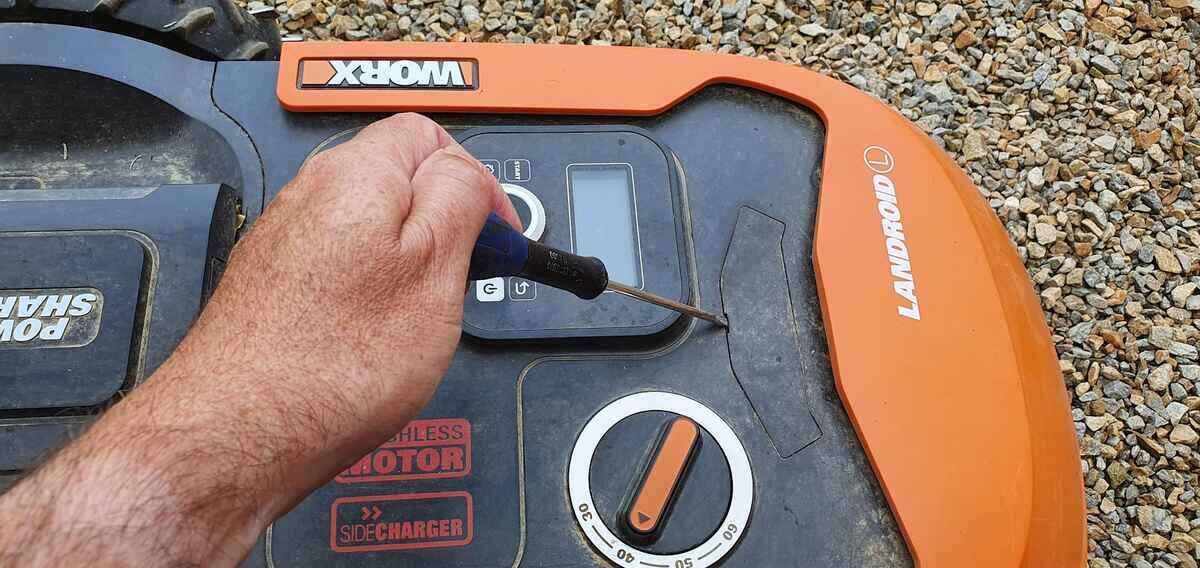 Remove the cover to get to the connectors
Step 2: Plugging it in
Once the cover is off, you’ll find two connector plugs. Remove the protective caps.
 The internal plugs, just waiting for the ACS
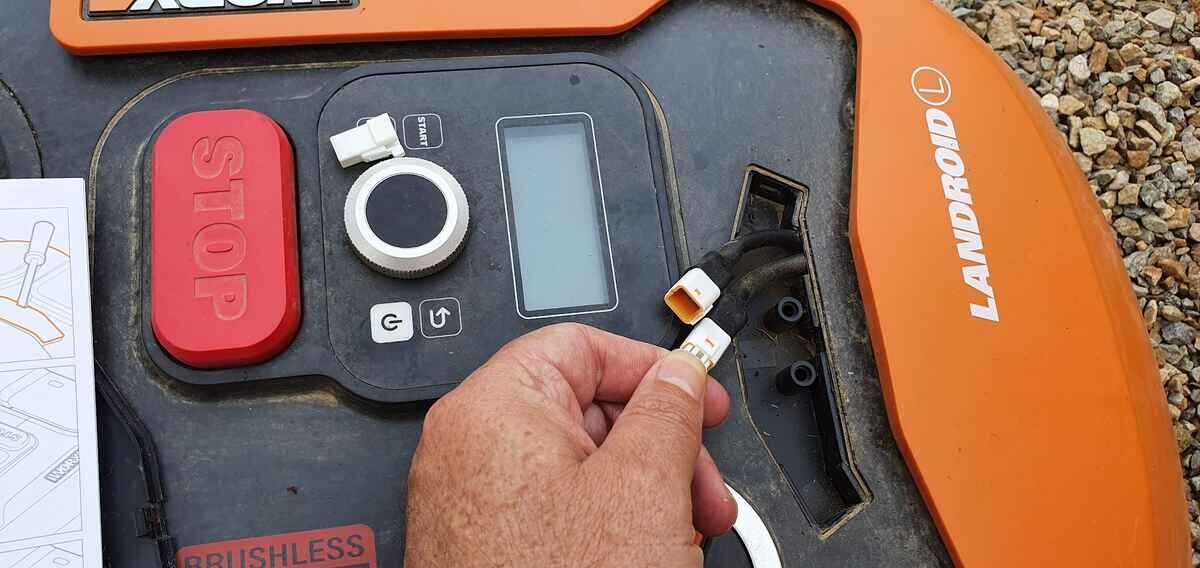 Plugs ready to receive the robot’s “eyes”
Note that the plugs are different sizes, so you can’t connect them the wrong way round: it’s foolproof!
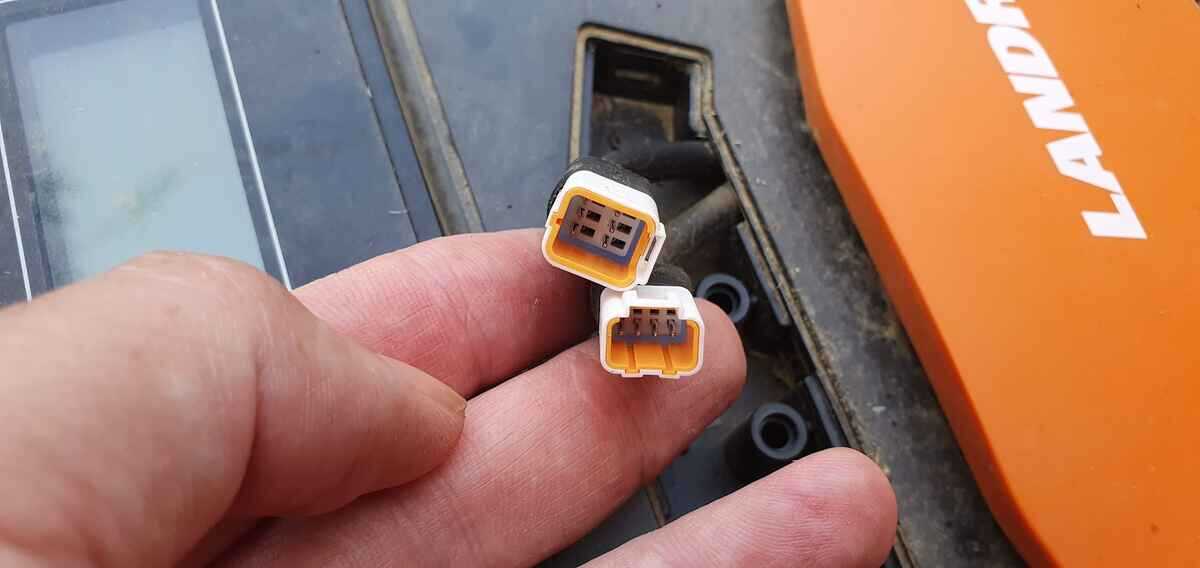 Keyed plugs: no mistakes possible
 Clip everything together neatly
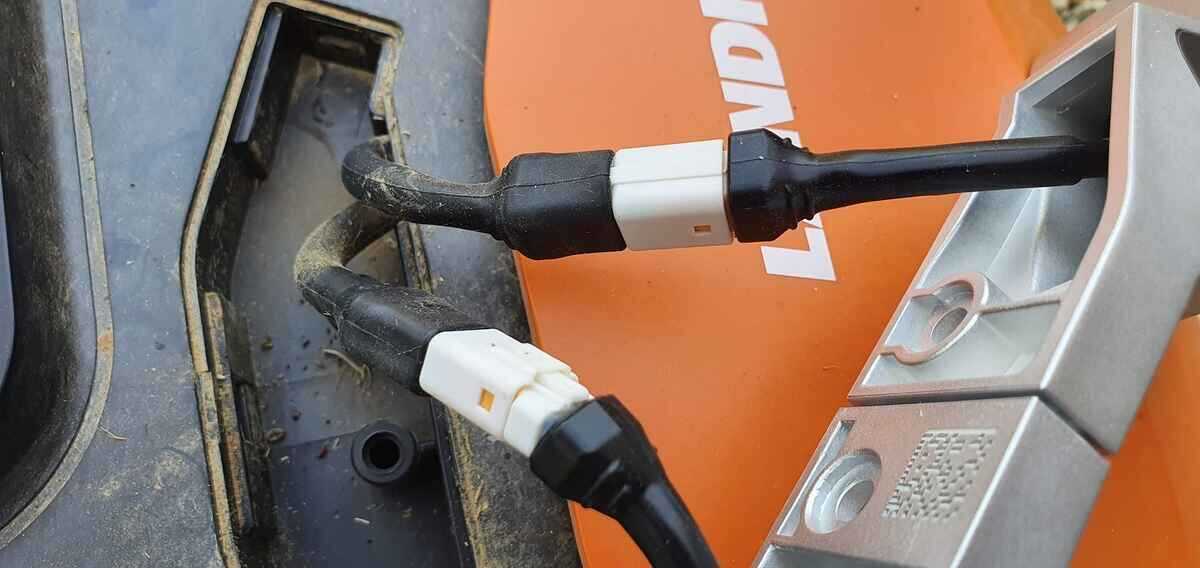 And there you go, the connection is made!
Step 3: Final fixing
Now use the screws and Allen key supplied. A handy tip: split the ACS in two to slide the wires through the hole more easily.
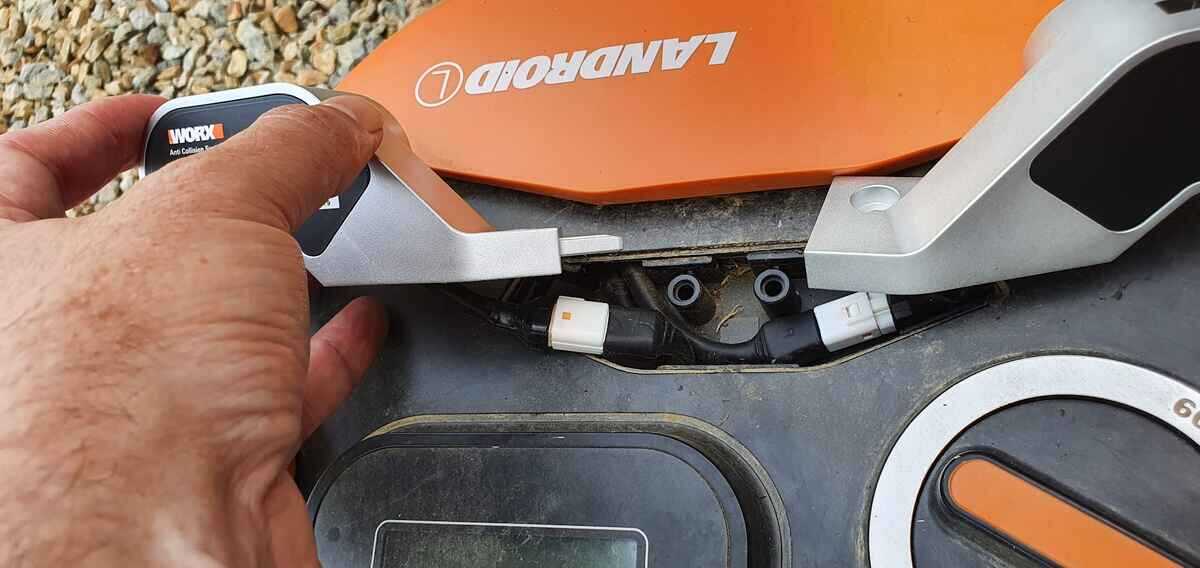 Screw the bracket onto the chassis
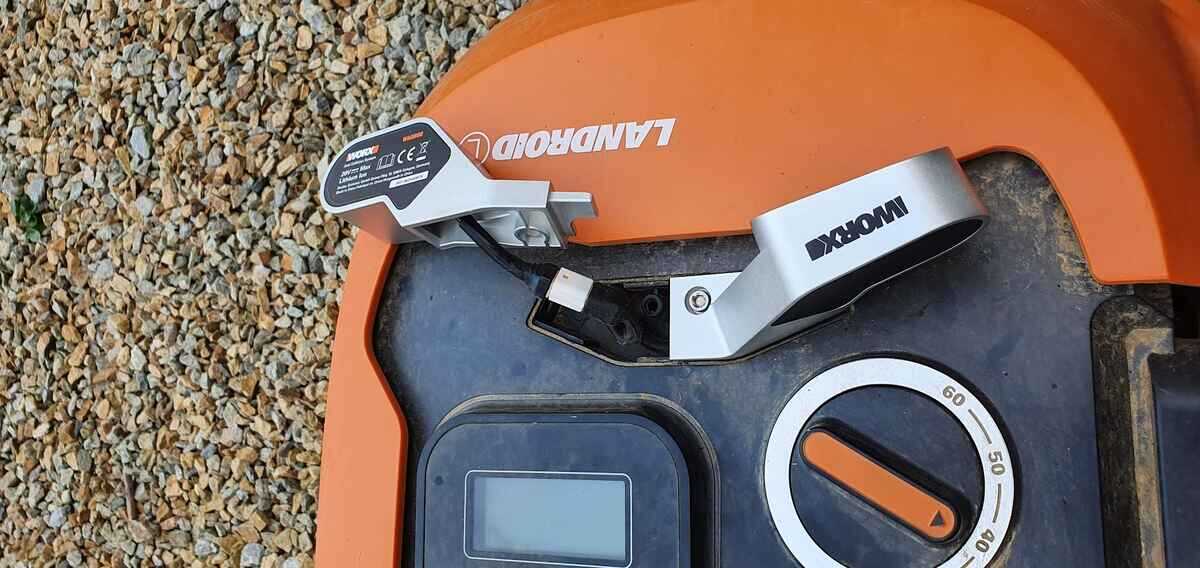 Fitting the first half
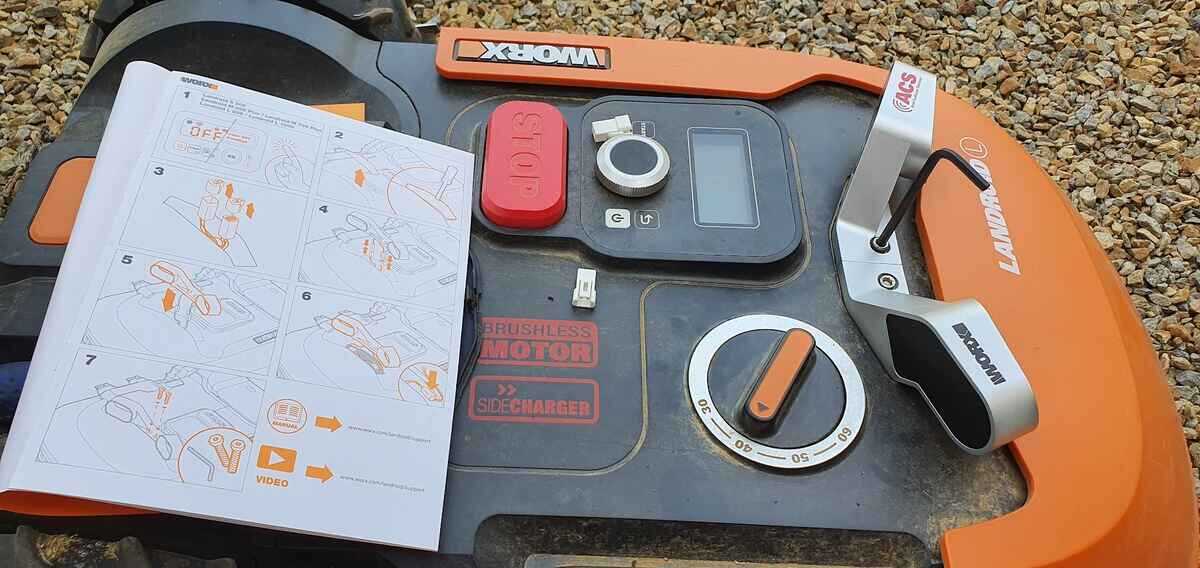 All done: the robot has its eyes!
Test and review: is the Landroid’s ACS really effective?
To cut a long story short: YES. I tested it with a fairly large flowerbed and the robot avoids it perfectly. However, you need to know the rules of the game so you’re not disappointed.
Detection limits:
The ACS picks up objects more than 20 cm high and 25 mm wide. If you leave a flat ruler or a smartphone lying on the lawn, the robot may well run over it!
Watch out for long grass! If your grass is taller than 20 cm (after coming back from holiday, for example), the ACS will treat it as an obstacle. In that case, temporarily deactivate the option in the Worx app for the first mow.
When does the ACS pause?
- When it’s raining (raindrops interfere with the ultrasound).
- When it’s following the boundary wire (returning to the base).
- During the first few seconds after start-up.
- If there’s too much morning dew.
- If the sensors are dirty (remember to wipe them with a soft cloth!).
Also note that the ACS doesn’t like competition: avoid ultrasonic pet repellents in the garden, as they confuse the robot.
FAQ: your questions about the WA0860 ACS module
Does the ACS avoid pets?
Yes, if your dog or cat is big enough (more than 20 cm tall) and doesn’t move too fast. But the ACS is mainly designed for fixed obstacles.
Does the ACS work at night?
Perfectly! Unlike cameras, ultrasound doesn’t need light to “see”.
Can it be fitted to an M500 or an M700?
Yes, the WA0860 module is compatible with the whole new Landroid range (S, M and L) fitted with the dedicated port.